The data journal for agents.
You tell Poco what you want to keep track of. Poco sets up the tables and builds views and small apps. Claude and ChatGPT read and write along via MCP.
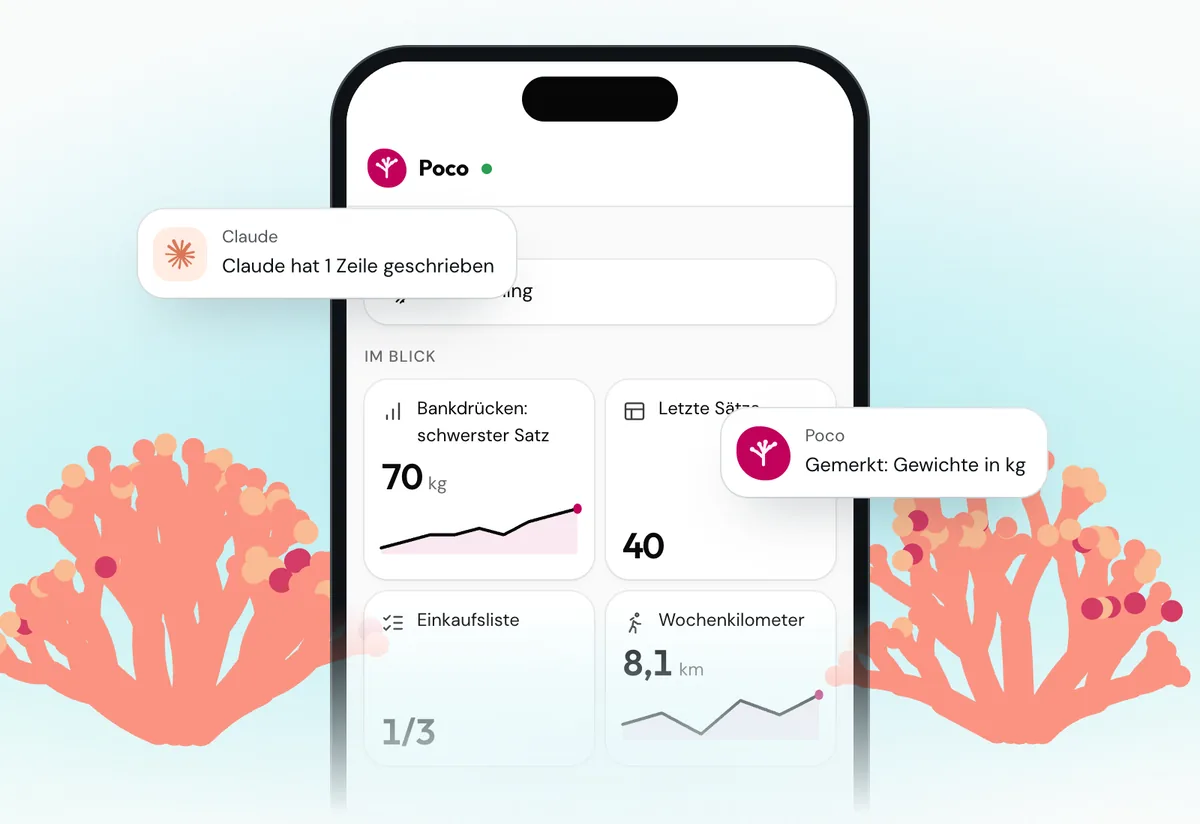
Your AI writes to your data journal.
You want to keep track of things and keep using them with your AI. In Poco, Claude and ChatGPT write to the same tables.
“I work with Claude every day. What I was missing: a simple place where Claude can store data and find it again later.”
So Tobias built Poco. The name comes from the Pocillopora coral. It grows a little every day, just like the journal.
Just say it. No forms to fill.
You type a few words, send a photo or record a voice note. Poco suggests the right table. You say yes, and from then on everything lands in the same place.
I want to track when I went running and how far.
Should I set up a table for that?
You connect Claude or ChatGPT once via MCP. After that, the assistants read and write directly to your tables and your memory. Poco sits as a data layer under the tools you already use.
Views
Charts, tiles, lists and maps from your data.
Memory
Preferences and rules apply in every conversation, in Claude too.
Custom apps
When chat gets clunky, Poco builds a small app that writes to the same table.
Everywhere
Runs in the browser and on your phone, offline too.
Every change is in the journal.
When an AI writes to your data, you want to see what it did. Poco records every change in the journal, whether it came from you, from Claude or from ChatGPT. Any of them can be undone.
New tables only appear once you say yes.
One click, and you have everything as JSON. Poco locks nothing in.
AI writes along. You keep the full picture.
Data, agents and interface in one product.
Poco combines data, agents and apps in one system. Claude and ChatGPT write along, and every change is in the journal.
Data
A data layer with your tables and your memory, open to any assistant.
Agents
An agent that suggests tables, creates them and writes along. Claude and ChatGPT join via MCP.
Interface
Views and small apps that Poco builds from your data.
tadaly
Plan Instagram posts via WhatsApp.
View project