From photo to Instagram post in chat.
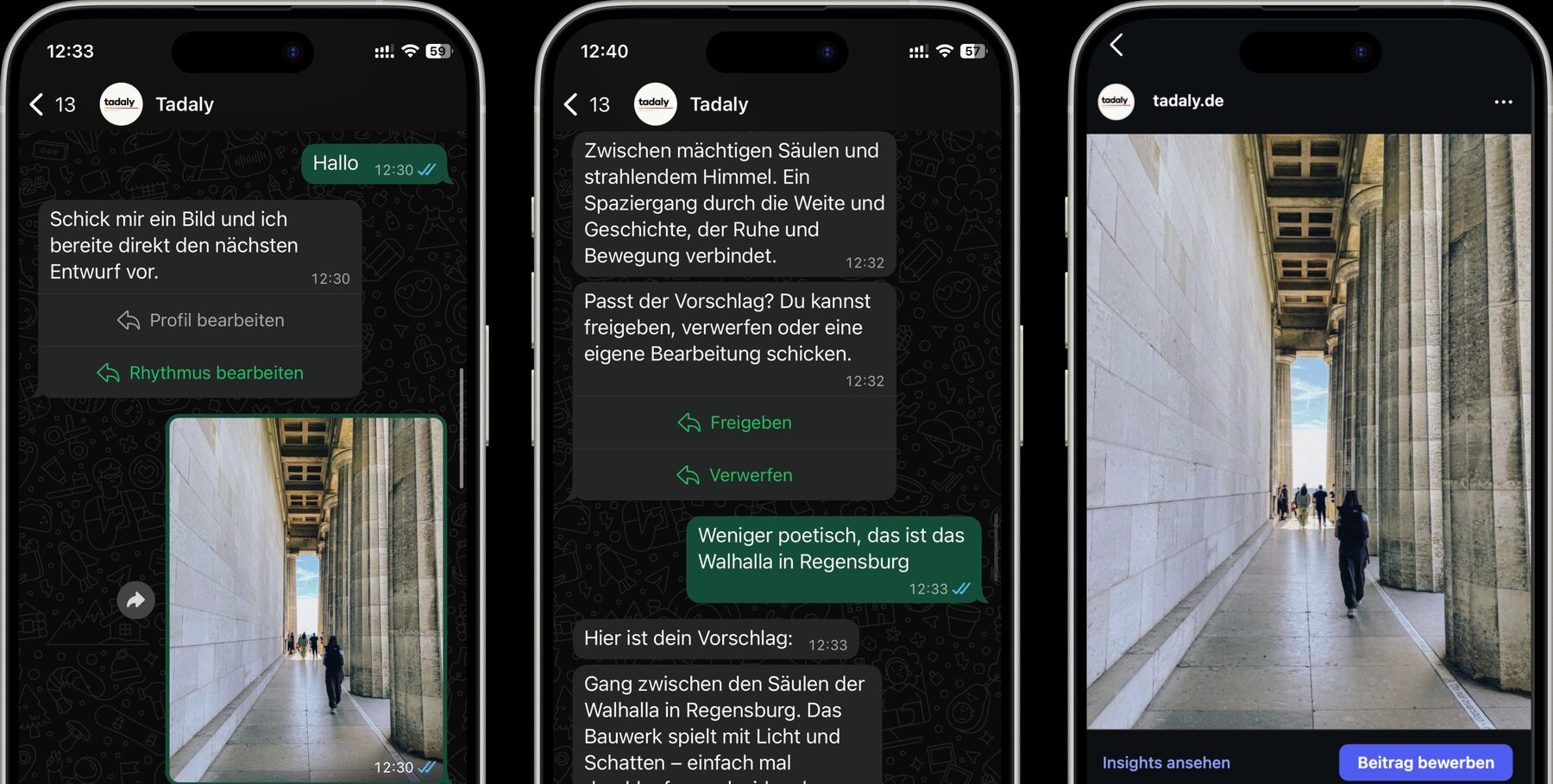
You send tadaly a picture. tadaly writes the caption and hashtags. You approve or discard the suggestion. The post gets scheduled.
The photo is quick. The text is not.
A good photo takes a second. After that you still need a caption, the right hashtags and a time for the post. That part often gets left undone.
tadaly works where you already write: in WhatsApp. No new app, no new login.
Four steps, one chat.
The whole flow happens in one conversation. You send a picture, tadaly writes the caption and hashtags, you decide, and the post lands in the schedule.
Send a picture
Drop a photo in the chat, like you would with a friend or a colleague.
Caption
tadaly writes a text for the picture and suggests hashtags.
Approve or discard
You read the suggestion and decide with one tap.
Scheduled
Approved posts get scheduled. No extra step.
Nothing goes out until you want it.
tadaly doesn't post on its own. Every suggestion waits for your decision. Only after approval does the post get scheduled.
The text fits. The post gets scheduled.
The text doesn't fit. Nothing gets published.
tadaly writes the draft. You decide what goes live.
Data, agents and interface in one chat.
tadaly connects the agent with WhatsApp and the scheduling of your posts. You review the text right in the chat.
Data
Your picture is the basis for the text suggestion. Approved posts get scheduled.
Agents
AI looks at the picture and writes a caption and hashtags for it.
Interface
In WhatsApp you approve or discard the suggestion.
Replicato
PDF forms, filled from Excel or CSV. AI suggests the mapping. You review and confirm it.
View project